Finding my way from programmer to 'artist'
I don’t consider myself an artist at all, and really do not think that I will ever be a good game artist either. I can work my way around CAD software for creating functional 3D print models. But that’s about it. So with the idea in mind that I am not going to be a great artist, I thought I had better come up with a process that will allow me to bring Sol Inc. up to a level I will be happy with.
Mocking it up in Blender
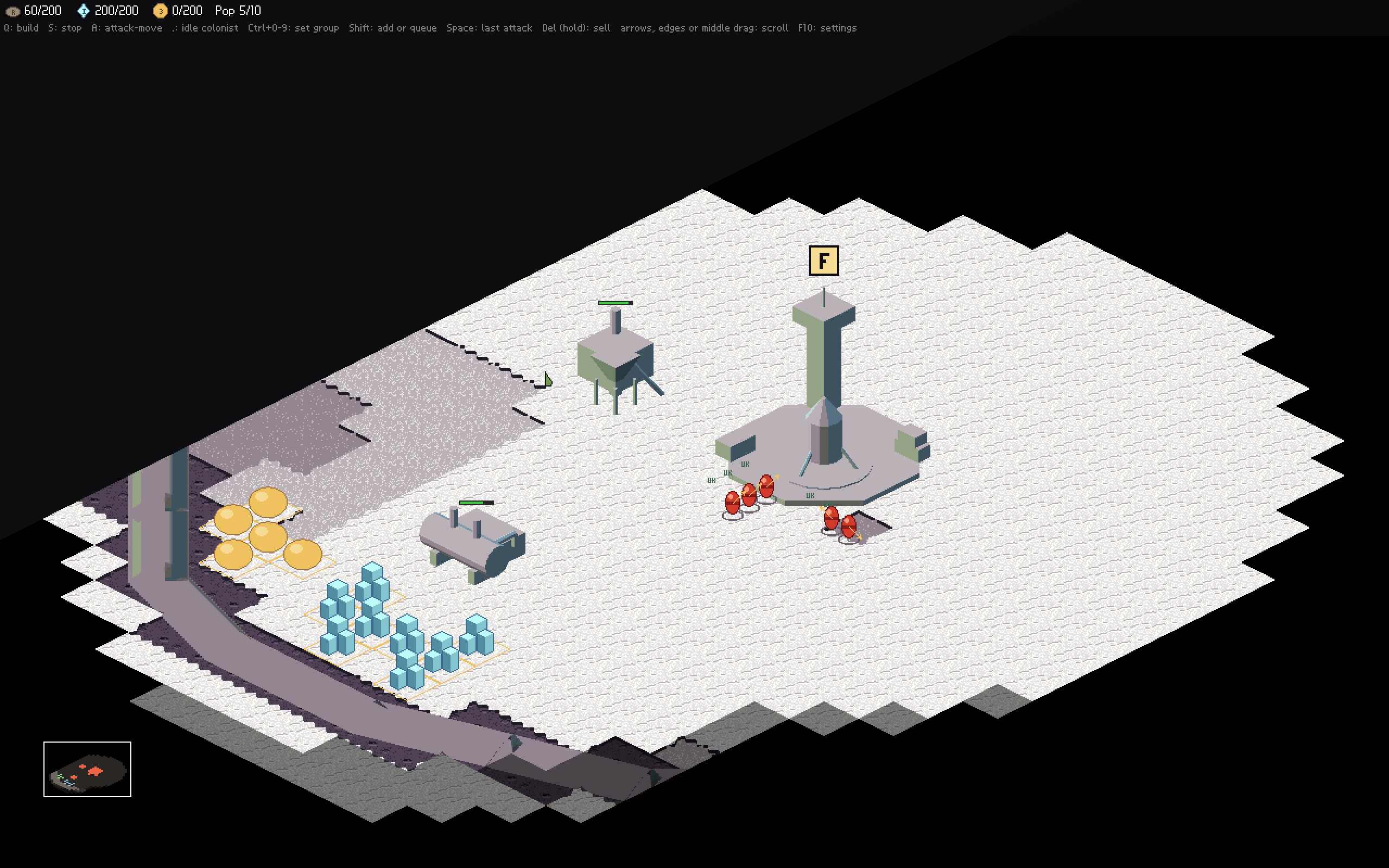
To start, and to make sure everything I did had proportions, I mocked everything up in Blender. The people, vehicles and the buildings. But also the rims of the large craters. I did all this in Blender and then wrote a script to export them to Aseprite so I could draw over them to get things where I wanted. This is how I got to this stage:
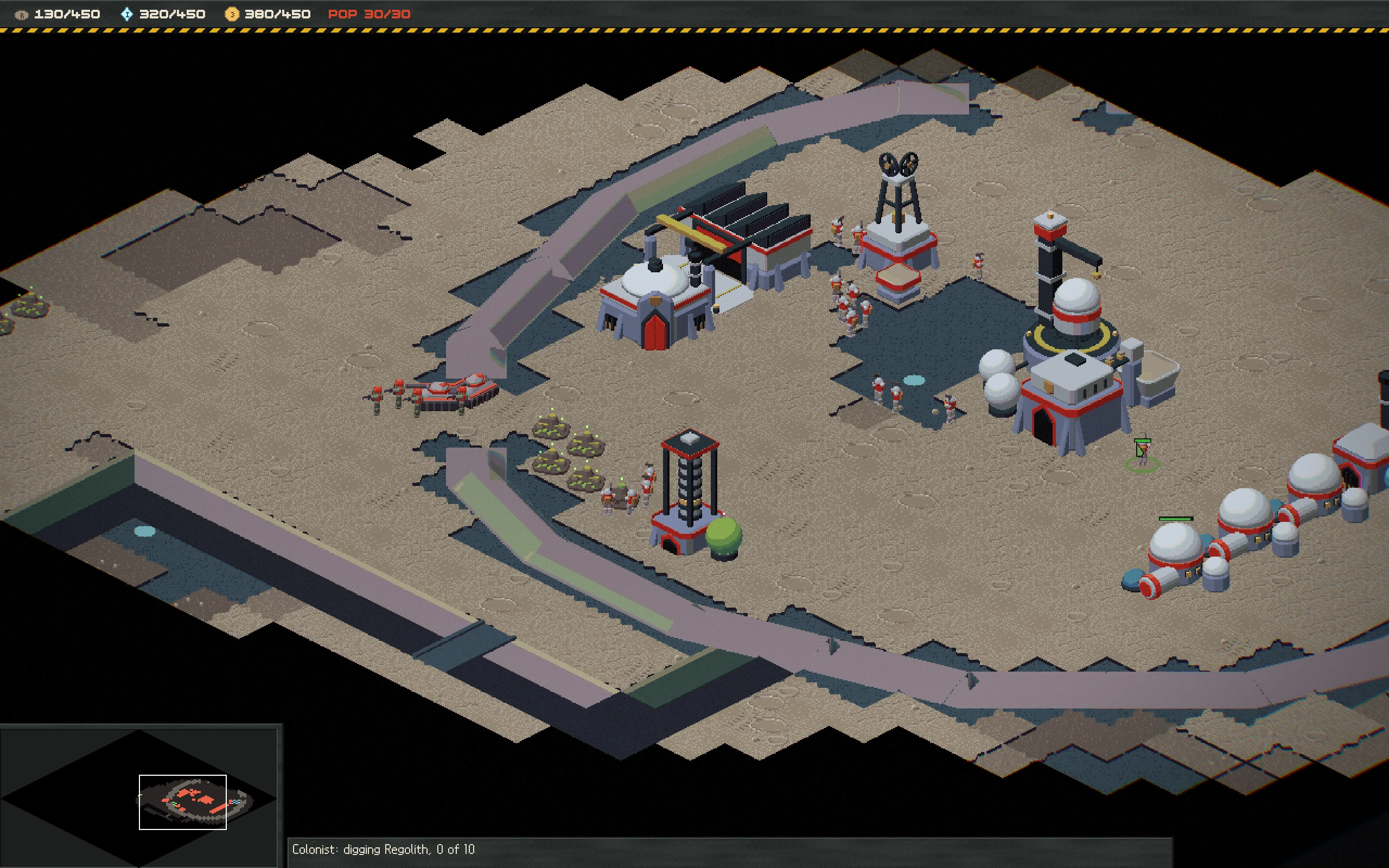
Not pretty. But hey, I can program the gameplay with this. So it works!
Buildings
I have decided to tackle buildings first. I’m not going to lie, but over the last week’s worth of evenings I am going to admit I am not sure that was the right way to go. It turns out buildings are the biggest images in the game itself, and it would have probably been easier to start with smaller images like icons or the ground tiles.
After some failed attempts at drawing over the Blender renders in Aseprite, I decided I would export from Blender to a 3D painter software so that I could still do things in proportion. I keep saying in proportion, and yes, I do consider that one of the hardest things to get right.
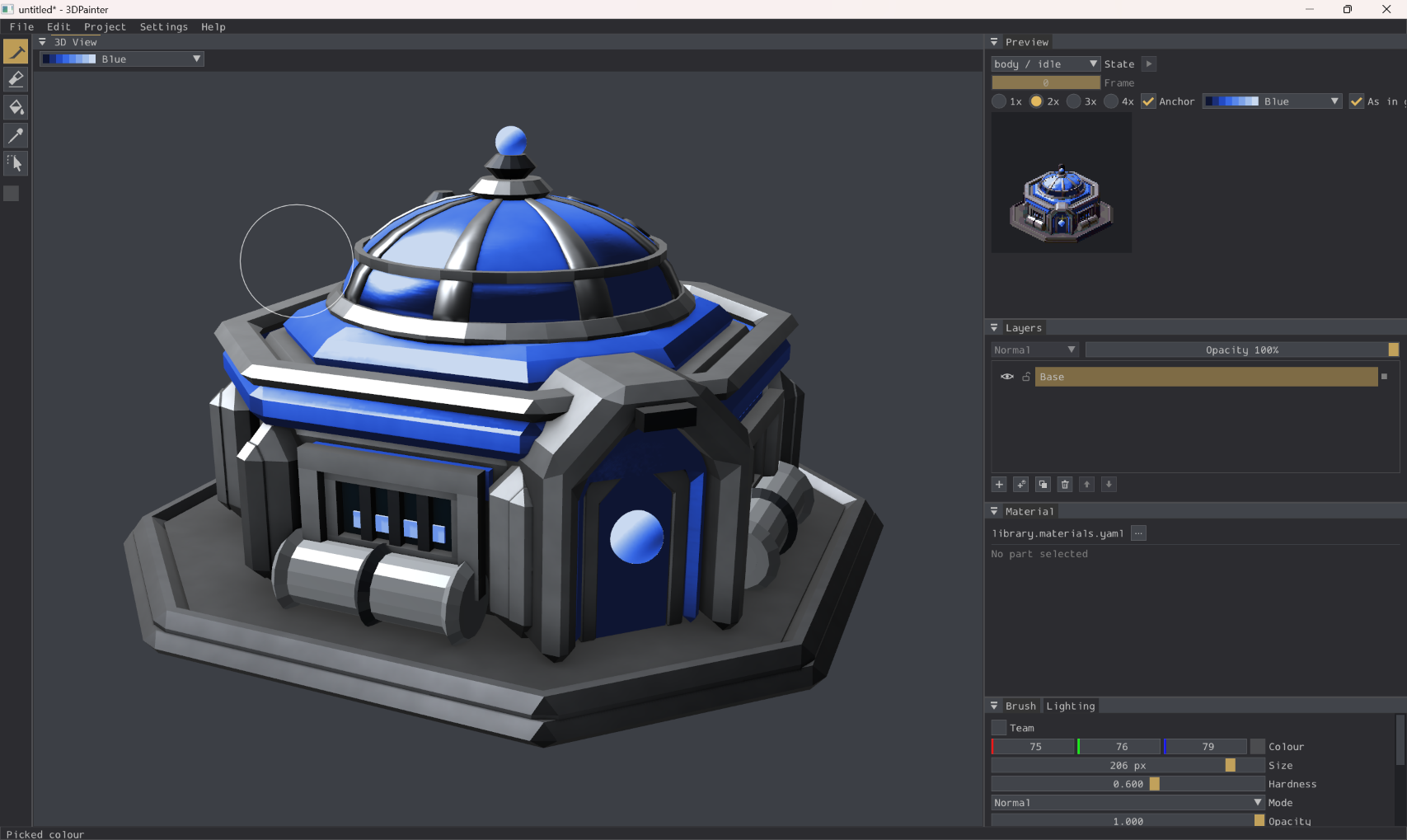
So this is a tool I quickly made to allow painting, and then exporting to Aseprite. It now sits in the middle. And Aseprite is where I can go to clean up pixels or materials that came through messy. Or the lines that were blurred into nothingness.
Painting over
I promised myself a weekend where I could just try painting over all this. And this weekend has been that weekend. So now I have something that I feel is starting to come together. It’s messy and not quite there, but it’s come a long way from the first screenshot from the top of this post.
Undo and git reverts are also a fantastic safety net to allow you to try things. And also I noticed while doing the paint over the power of a good palette. Which, I figured out too late. So I made a new palette and remapped the current artwork to it. Which now means I have to tidy it up again. But now I have a palette with colour ramps that make my job easier.
What I’ve learned so far
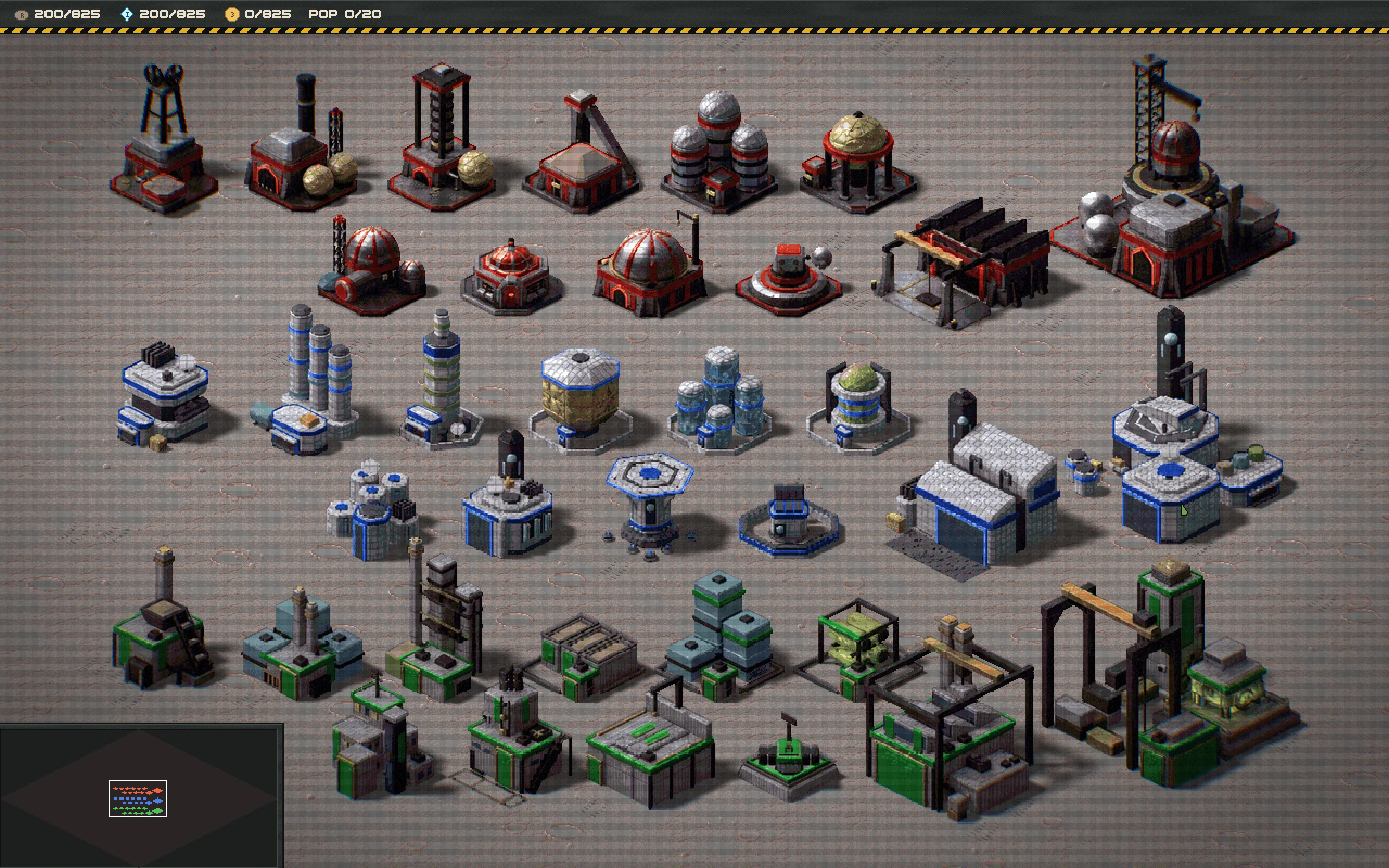
I’m not going to be an amazing artist. So for me, it’s been a set of discoveries about tools that I can use as a crutch to help me have the confidence. And that is what I have learned. I know that this is not launch ready art. But while I see improvements, I will continue to learn.
What’s next
Well, buildings turned out harder than I thought as they are bigger. But I really feel that the ground is the canvas and nothing I do will feel right until the canvas is right. So next I will turn my attention to the ground and really try to make it feel like a world with craters and rocks that look interesting.
There’s still no Steam page yet, as Steam seems very slow to do all their financial/identity checks. But I sent a support request and they said it’s taking them 30 days to process, so still a week or so away if that is true.
Please join the Discord too if you want to share ideas or get more insights. When I am ready for playtesters, that is where I will make the ask.
I hope to make a YouTube video about this, but it’s not something I am good at… So not sure if and when it will be ready.